Data Breach Aftermath: Is Your Personal Inbox Next?
Your Digital Mailbox Has a Hole in It
Remember the last time you got a concerning email? Not spam for miracle weight loss pills, but an official-looking notice saying, "We've detected suspicious activity on your account." Your stomach drops a little. You wonder, Is this real? Which account is it? What did they get?
Now, imagine that feeling not once, but hundreds of times. A flood of password reset requests, unfamiliar login alerts, and strange verification codes. This isn't a paranoid daydream—it's the daily reality for millions after a major data breach. Their personal email address, the digital key to their entire online life, has been copied, packaged, and sold on the dark web.
Your personal inbox is more than just a place for newsletters and birthday greetings. It's the central hub of your digital identity. It’s where you reset passwords, receive bank statements, confirm purchases, and store sensitive conversations. When a company you trusted with that email address gets hacked, it’s not just your username that's leaked. It's the master key that can be used to pick the locks on all your other accounts.
In this article, we’ll walk through what really happens after a headline-grabbing breach, give you a simple checklist to see if you're at risk, and show you a surprisingly easy habit that can protect your primary inbox from becoming a spam-filled battleground or a gateway for hackers.
The Ripple Effect: Why One Breach Haunts You For Years
A data breach is often described as a single event, but for victims, it's the beginning of a long, invasive process. Let's break down the aftermath.
Phase 1: The Initial Flood (Days to Weeks After)
This is when the automated attacks begin. Cybercriminals use bots to take the millions of leaked email-and-password combinations and try them on every major website—Facebook, Gmail, Amazon, PayPal, online banking. This is called "credential stuffing." If you’ve reused a password (and most people have), they’re in. Suddenly, you see purchases you didn't make or friend requests you didn't send.
Phase 2: The Social Engineering Onslaught (Weeks to Months After)
Armed with more than just a password, attackers now have data. Perhaps your full name, phone number, physical address, or even the last four digits of a credit card from the breached site. The phishing emails begin. They’re expertly crafted, often impersonating the breached company itself ("We need to confirm your details to secure your account..."), your bank, or a shipping service. Because they include your real name or other personal tidbits, they are incredibly convincing.
Phase 3: The Permanent Pollution (Months to Years After)
Your email address is now a permanent entry on countless spam and scam lists. Even if you change all your passwords, the junk mail, malicious ads, and scam attempts never fully stop. Your primary inbox, a tool meant for important communication, becomes a cluttered, suspicious, and stressful place to visit.
Major breaches like Yahoo (3 billion accounts), LinkedIn (700 million users), Facebook (533 million users), and Marriott (500 million guests) didn't just leak email addresses. They leaked trust and created a persistent vulnerability for nearly everyone on the internet.
Your "Am I at Risk?" Checklist
It’s easy to think, "That won't happen to me," but in today's connected world, it's more a question of when than if. Let's do a quick, sobering audit.
Ask yourself: Have I ever had an account with these commonly breached services?
Social Media: Facebook, LinkedIn, Twitter, Instagram
Retail & Hospitality: Marriott, Adobe, eBay, Home Depot
Technology: Yahoo, Dropbox, Tumblr
Finance: Capital One, Equifax (credit bureau)
If you answered "yes" to even one, your data is likely in circulation. The next step is to be proactive.
Immediate Action Checklist: If You've Used Your Real Email Here...
Check Your Exposure: Go to Have I Been Pwned (a reputable, free service). Enter your primary email address. It will tell you which known breaches it has appeared in. This is the most critical first step.
Change Those Passwords, NOW: For every site flagged in your breach report, immediately change your password. Do not reuse the old one. Do not use a simple variation.
Enable Two-Factor Authentication (2FA): Wherever possible, turn on 2FA. This adds a second layer of security (like a code sent to your phone) so a stolen password alone isn't enough.
Scrutinize Your Inbox: Be hyper-vigilant about emails asking you to click links, download attachments, or "verify" information, even if they seem to come from a known contact or trusted company.
Consider a Credit Freeze: For severe breaches involving financial data (like Equifax), placing a freeze on your credit reports can block identity thieves from opening new accounts in your name.
This checklist is essential damage control. But what if you could prevent the next breach from ever touching your primary inbox in the first place?
Building Your Proactive Shield: The Power of a Disposable Email
Think of your personal email address as your home address. You wouldn't give it to a random street advertiser, a company selling questionable products, or for a one-time entry into a contest. You’d want to keep that information private and secure.
This is where a temporary, disposable email address from a service like TrashyMails becomes your most powerful proactive tool. It's like a digital P.O. Box you use for everything outside your trusted circle.
How It Works as Your Shield:
The Barrier: When you sign up for a new app, download a whitepaper, get a one-time coupon, or register for a webinar, you use your TrashyMails address. All confirmation emails, spam, and follow-ups go there.
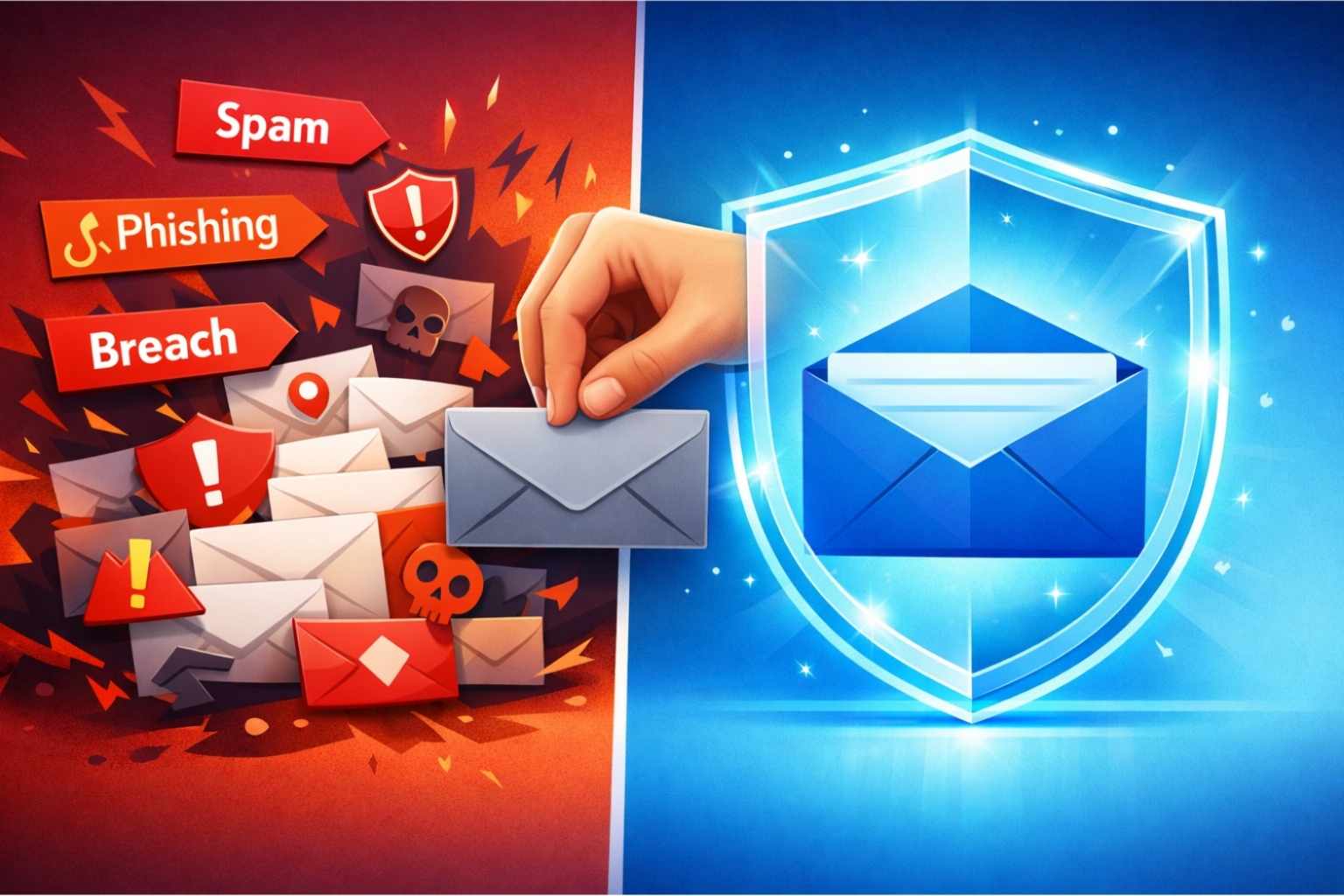
The Containment: If that company suffers a breach, what's leaked? Your disposable email address. The spam and phishing attempts flood into your temporary inbox, not your personal one. Your primary email remains clean, safe, and off the dark web market.
The Reset: When the disposable address has served its purpose (or starts getting too much spam), you simply let it expire or stop checking it. The link between that activity and your real digital identity is severed.
Integrating TrashyMails Into Your Digital Life: A Practical Guide
Making this a habit is easier than you think. Here’s how to start:
For "Sign-In With Email" Prompts: See a pop-up offering 10% off for your email? That's a perfect TrashyMails moment. Generate a new address in seconds, get your coupon, and keep your main inbox clean.
Before Any Online Purchase From a New Store: Unsure if you trust a retailer yet? Use a disposable email for the checkout. You'll still get your order confirmation and tracking, but you won't be on the hook for a lifetime of their marketing spam.
When Testing Software or Services: Developers and tech enthusiasts can use temporary emails to test sign-up flows, API email triggers, or new platforms without creating endless dummy accounts linked to a real address.
Protecting Your Gaming & Streaming Accounts: Keep your primary email off gaming forums, Minecraft server registrations, or niche streaming sites. Use a disposable address to register and keep the inevitable spam away from your important communications.
The beauty of a service like TrashyMails is its simplicity: no sign-up, no password, completely free, and unlimited. You visit the site, you get an email address instantly. It updates in real-time, and you can even receive attachments. When you're done, you close the tab. That's it.
Taking Back Control of Your Digital Space
We live in an era of digital convenience, but that convenience has a cost—our personal data. While we can't stop every corporation from being hacked, we can absolutely control how much of our digital selves we expose in the first place.
Dealing with a data breach is a reactive, stressful scramble. Using a temporary email is a proactive, peaceful decision. It’s a small shift in habit that pays massive dividends in privacy and peace of mind.
Your personal inbox should be a sanctuary for meaningful communication—messages from loved ones, important work updates, and verified transactions. It shouldn't be a dumping ground for spam, a trigger for anxiety, or a vulnerable point of failure for your entire online identity.
Ready to build your first line of defense? The next time a website asks for your email, pause. Ask yourself, "Do I trust this entity with the key to my digital life?" If the answer is anything less than a definitive "yes," give them a disposable key instead.
Visit TrashyMails to generate your first free, temporary email address in seconds. Keep your primary inbox clean, secure, and reserved for what truly matters. Because in the digital world, the best way to survive a storm is to make sure you're not standing in the rain in the first place.